

This release introduces improvements to job management, including a refreshed dashboard, automation rules, smarter due date scheduling, and easier linking of remedial jobs within PPM tasks.
We’ve introduced a refreshed dashboard with improved visuals and bespoke KPI insights. Monitor tickets, overdue jobs, and performance trends more easily in one place.

You can create custom rules to automatically trigger actions when you update/create a job. From assigning jobs to setting due dates, you can automate routine steps and keep work moving without manually updating them. You can also assign these rules to a specific building or category that you would like to update.

Automated due dates now take your configured working days and hours into account when scheduling jobs. This ensures deadlines fall within business hours, avoiding weekends or out-of-hours targets and helping operatives manage workloads more realistically.

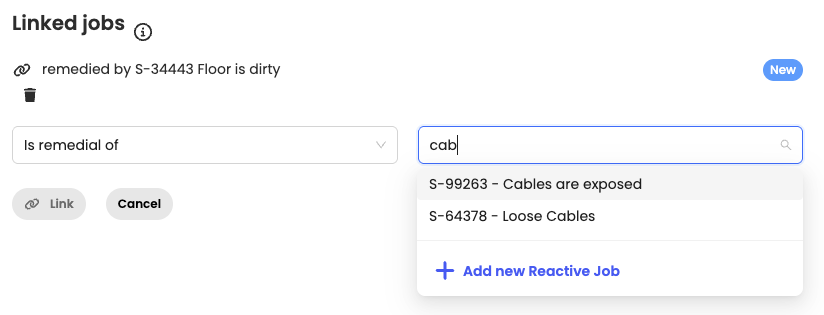
We’ve improved how remedial jobs can be raised from PPM tasks. Instead of needing to log a form, you can now create a reactive ticket and link it directly to the relevant PPM task as a remedial.
This article just scratches the surface of what’s possible with FaultFixers. For more information, check out our Help Center.
And if you’re not yet a FaultFixers customer and want to see what it can do for your organisation, book a demo today.


