

We’ve introduced Workflows to standardise how maintenance jobs are completed in FaultFixers. Reusable templates embed required questions and steps directly into jobs, guiding operatives through PPM, inspections and reactive maintenance while giving managers clearer oversight.

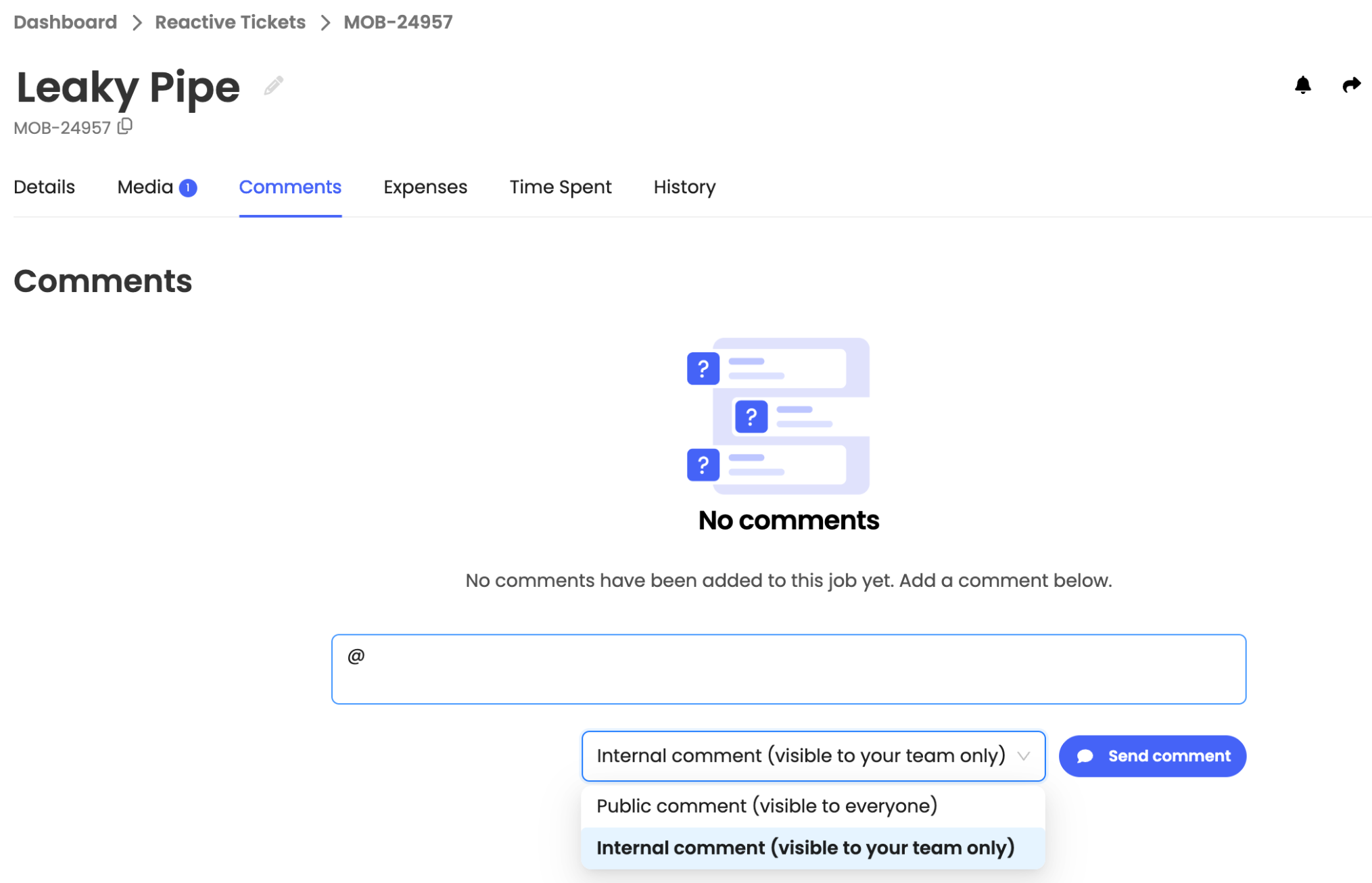
We’ve added @tagging to ticket comments so you can bring the right team members into the conversation. Type @ in any ticket’s comment box, select a team member and post your comment.
We’ve added AI-suggested remedial jobs for Scale accounts. AI analyses documents linked to a ticket to identify potential follow-up work. Review suggestions, edit details and approve or dismiss them before creating jobs.

We’ve added a Region field to buildings to help organise your portfolio by geographical area. Add or update a building’s region directly from its details.

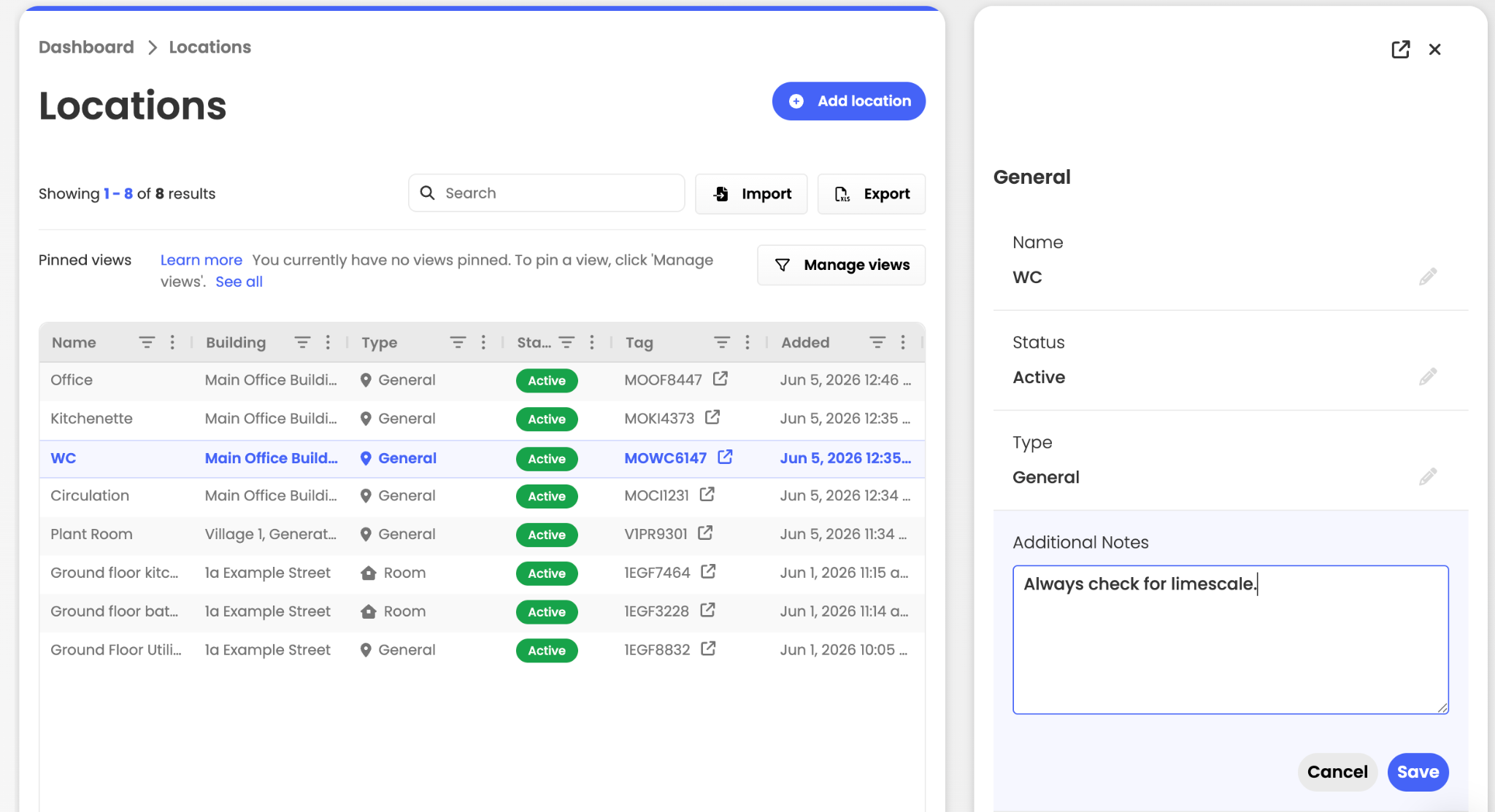
We’ve added notes and file attachments to individual locations so teams can keep instructions, access details and other useful context alongside the location they’re working at.
This article just scratches the surface of what’s possible with FaultFixers. For more information, check out our Help Center.
And if you’re not yet a FaultFixers customer and want to see what it can do for your organisation, book a demo today.


