How to Create an Annual PPM Planner in Excel (Step-by-Step Guide)

An annual PPM (Planned Preventive Maintenance) planner is a simple but powerful tool for scheduling and organising all preventive maintenance activities across the year.
How to Create an Annual PPM Planner in Excel (Step-by-Step Guide)
Written by
Tom O'Neill
Published on
December 8, 2025

An annual PPM (Planned Preventive Maintenance) planner is a simple but powerful tool for scheduling and organising all preventive maintenance activities across the year. Many teams build their first annual PPM planner using Microsoft Excel because it’s familiar, flexible, and easy to customise.

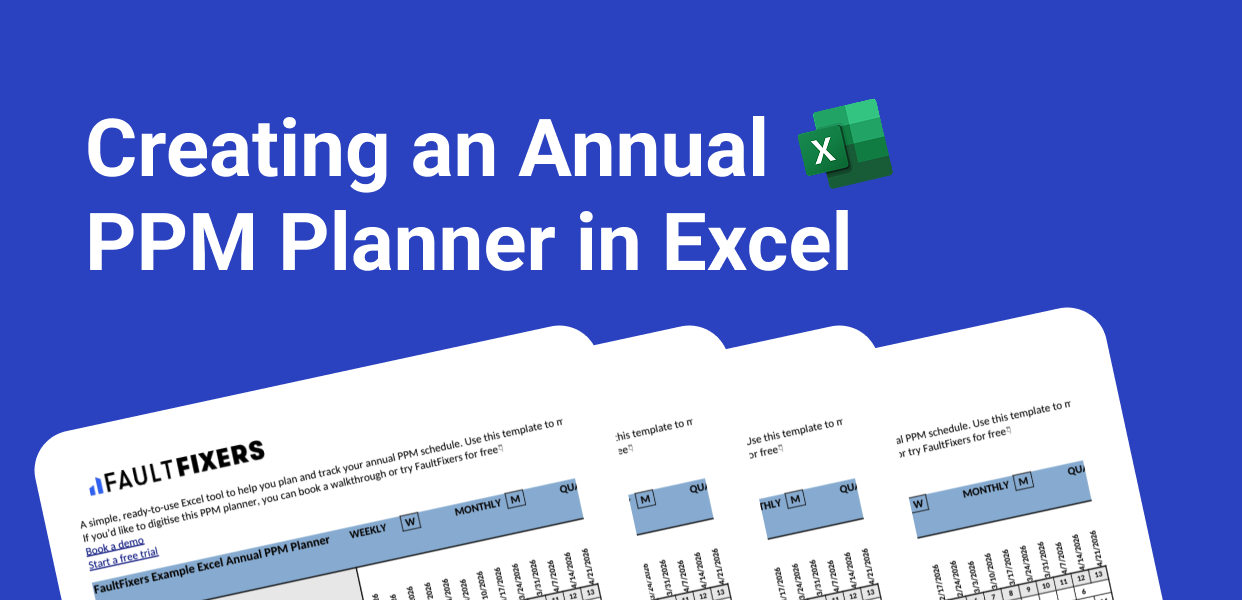
This guide walks you through exactly how to create a polished, functional annual PPM planner - even if you’re starting from scratch. If you want to you can use a simple example spreadsheet we created that you can download here.

What Is an Annual PPM Planner?

An annual PPM planner provides a 12-month overview of all the maintenance tasks your team needs to complete throughout the year. It typically includes:

  • A full list of assets or equipment
  • The preventive maintenance tasks required
  • How often each task should be completed
  • A month-by-month schedule of when tasks are planned
  • Clear visibility of what’s upcoming, what’s overdue, and what’s completed

Think of it like a year-at-a-glance calendar designed specifically for maintenance teams.

How to Build an Annual PPM Planner in Excel

Step 1: Set Up the Planner Structure

  1. Open a new Excel workbook.
  2. Rename the first sheet to something like “Annual PPM Planner.”
  3. Create a header row with these columns:
    • Asset/Equipment
    • Maintenance Task
    • Frequency
    • Jan, Feb, Mar … Dec

These monthly columns will form your annual planning grid.

Step 2: List Your Assets and Planned Maintenance Activities

Under Asset/Equipment, enter every asset that requires preventive maintenance.

In Maintenance Task, describe the task—for example:

  • “Inspect belts”
  • “Test fire alarms”
  • “Replace filters”
  • “Lubricate moving parts”

Each row should represent one task for one asset.

Step 3: Add Maintenance Frequency

Use the Frequency column to record how often the task recurs. Common intervals include:

  • Weekly
  • Monthly
  • Quarterly
  • Bi-annual
  • Annual

This information will tell you where to mark activities in your yearly schedule.

Step 4: Populate Your Annual Planner With Scheduled Months

Now fill in the month columns to show when each task should occur. Teams typically use:

  • “X” to mark scheduled months
  • Colour coding (e.g. green = planned)
  • Specific dates if exact scheduling is needed
  • Initials to show who’s responsible

Examples:

  • A monthly task → mark every month
  • A quarterly task → mark Jan / Apr / Jul / Oct
  • A bi-annual task → mark two months of your choice
  • An annual task → mark once, e.g. May

This turns your spreadsheet into a clear, visual annual maintenance plan.

Step 5: Add Helpful Conditional Formatting

You can instantly make your planner more insightful by adding conditional formatting:

  • Highlight the current month
  • Colour overdue tasks in red
  • Highlight upcoming tasks in yellow
  • Turn completed tasks green

This adds at-a-glance visibility and reduces the risk of tasks slipping through the cracks.

Step 6: Add Optional Columns for Real-World Practicality

Many teams expand their annual PPM planner with extra columns such as:

  • Assigned Technician
  • Estimated Duration
  • Risk Level
  • Notes
  • Last Completed Date
  • Completion Status

These additions help transform your planner from a static schedule into a basic maintenance management tool.

Step 7: Keep Your Annual PPM Planner Up to Date

Your planner is only effective if it's actively maintained. Make sure someone is responsible for:

  • Updating completed tasks
  • Tracking overdue items
  • Adding new assets or tasks
  • Revising schedules when needed
  • Performing an annual review

Over time, this planner becomes your single source of truth for all planned maintenance across the year.

Limitations of Using Excel for an Annual PPM Planner

Excel is a great starting point, but as your operation grows the planner becomes harder to manage. Common issues include:

  • No automatic reminders
  • No mobile access for engineers
  • Higher risk of errors
  • No work order management
  • Hard to track photos or documentation
  • Version control problems across teams

This is why many businesses eventually upgrade from spreadsheets to a maintenance system.

A Better Alternative: Use Software Like FaultFixers

If your annual PPM planner becomes time-consuming to maintain—or you need a more automated way to track and complete preventive maintenance—consider using a simple maintenance software solution like FaultFixers.

Tools like FaultFixers offer features Excel can’t:

  • Automated scheduling and reminders
  • Work order creation and tracking
  • Mobile app for technicians
  • Photos, notes, and checklists
  • Asset histories and audit trails
  • Real-time visibility of what's due or overdue

You get all the benefits of an annual planner, without the manual admin or spreadsheet errors.

Download Our Preventative Maintenance Excel Template
Want a template to work from? Download our Excel Maintenance Template
Read about our privacy policy.
Oops! Something went wrong while submitting the form.
GET STARTED TODAY

Try our Maintenance Software for Free

Try our digital maintenance management software for free. Set up your facilities, import your asset information and invite your team members for free.
Icon for debit card
No Credit Card Required
Icon for cancel
Cancel Anytime