

This release introduces a set of improvements designed to help teams manage jobs more efficiently, reduce time spent navigating the platform, and gain clearer visibility into completed work and spend.
Pane view opens a job in a side panel so you can view and update details without leaving the jobs list, enabling bulk actions and faster review. It reduces context switching and keeps workflows moving without interrupting focus. Teams can stay in flow, make quicker decisions, and complete more work in less time.
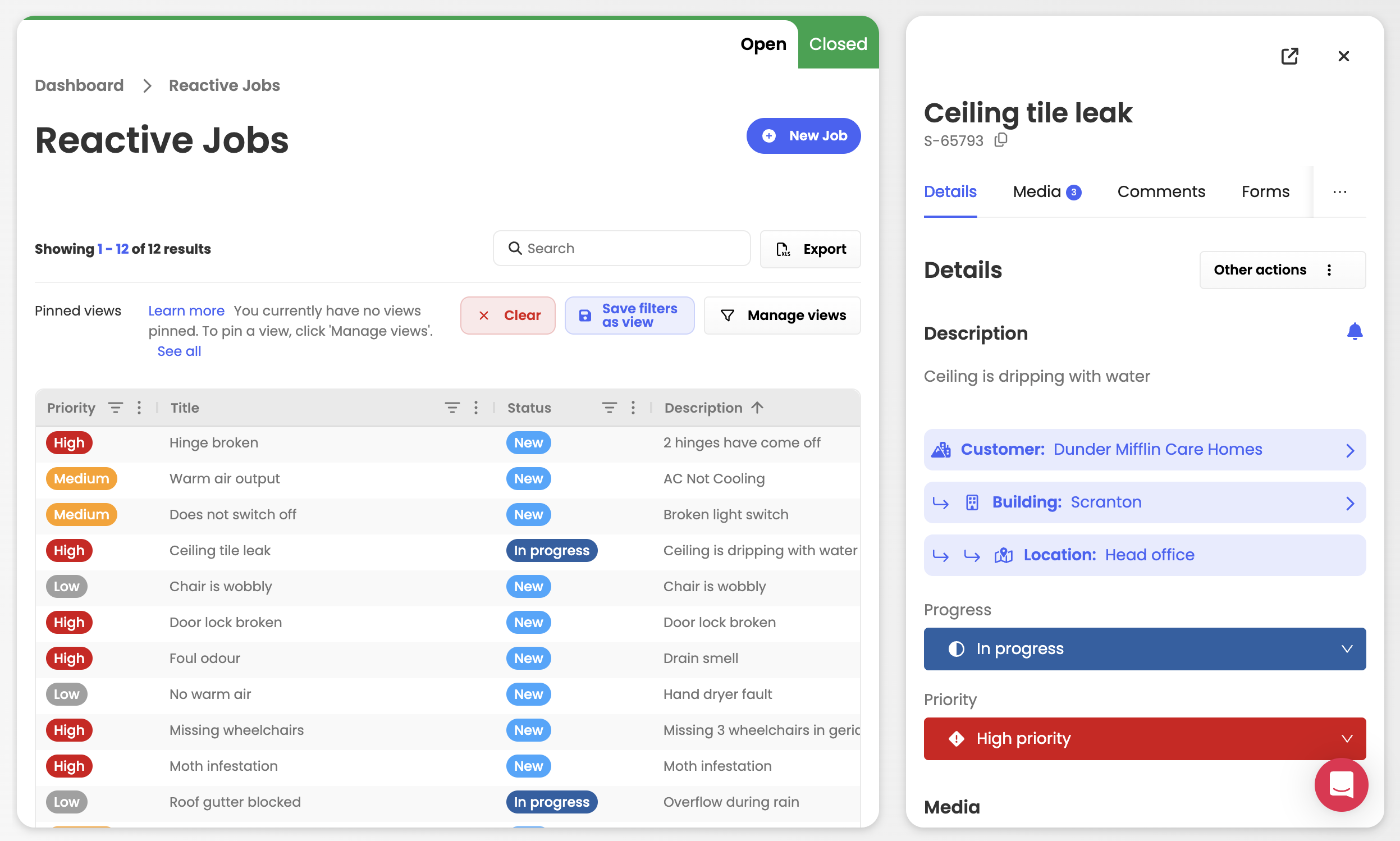
We’ve added new system views to help you quickly filter and focus on the tasks that matter most to you. These are also customised to the specific types of tasks you are viewing - Reactive vs PPMs. This helps you cut through noise and spend less time searching for what needs attention.

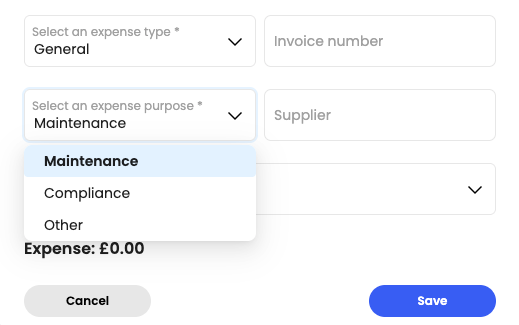
We have added in a new field which allows you to declare the purpose of the expense for every job you log on the platform. You can now easily distinguish between reactive maintenance spend vs compliance maintenance spend.
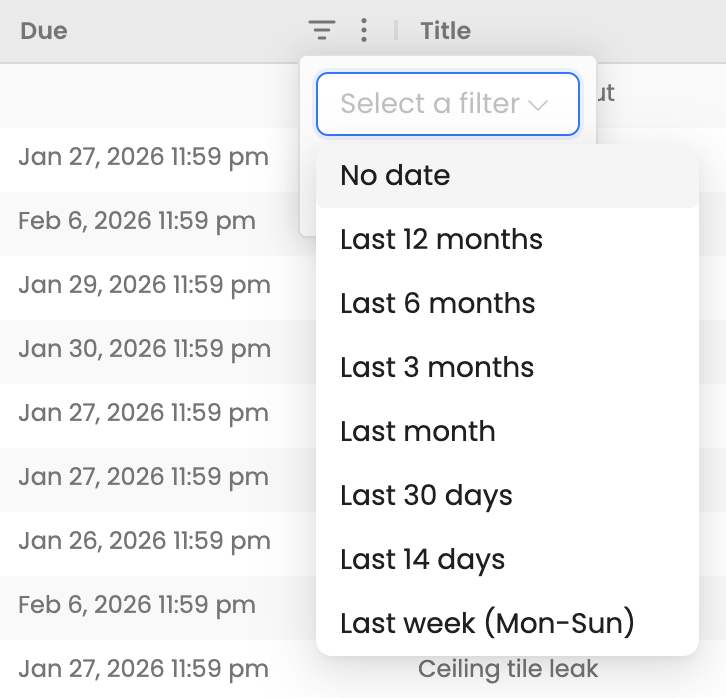
View jobs using relative date options to quickly focus on what’s due now or was in the past year. This helps you quickly review recently completed work or look back over historical jobs without manual date ranges. Ideal for auditing completed jobs, tracking recent activity, and reviewing past performance.
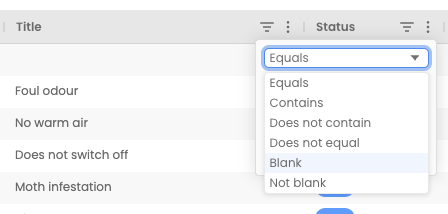
You can now filter tables by Blank values, allowing you to quickly find records with missing or incomplete fields. This makes reviewing, cleaning up, and completing data faster, especially in larger tables.
This column helps you to identify the uploaded file (e.g., image, video, document) and its file format (e.g., JPG, MP4, PDF) under the media tab. This features makes it easy to locate a specific file you are looking for on the platform.
You can now assign vendors to each PPM task making it easier to track responsibility.
This article just scratches the surface of what’s possible with FaultFixers. For more information, check out our Help Center.
And if you’re not yet a FaultFixers customer and want to see what it can do for your organisation, book a demo today.


