Comprehensive CCTV System Preventive Maintenance Checklist: 10 Essential Inspection Steps

To ensure your CCTV systems optimal functionality and longevity, regular preventive maintenance is essential.
Comprehensive CCTV System Preventive Maintenance Checklist: 10 Essential Inspection Steps
Written by
Tom O'Neill
Published on
June 24, 2026

A Closed-Circuit Television (CCTV) system is a critical part of any security strategy, helping to protect people, property, and assets. Whether installed in commercial buildings, industrial facilities, retail stores, residential properties, or public spaces, CCTV systems require regular maintenance to ensure reliable performance and continuous surveillance coverage.

Over time, cameras can become dirty, cables may deteriorate, software can become outdated, and network issues can affect recording quality. Implementing a preventive maintenance programme helps identify potential problems before they result in system failures, security gaps, or costly repairs.

This CCTV preventive maintenance checklist outlines the essential inspections and maintenance tasks required to keep your surveillance system operating at peak performance.

Why CCTV Preventive Maintenance Is Important

Regular CCTV maintenance helps organisations:

  • Ensure continuous surveillance coverage
  • Improve image quality and recording reliability
  • Reduce unexpected equipment failures
  • Extend the lifespan of cameras and recording devices
  • Enhance cybersecurity and system security
  • Maintain compliance with security and safety requirements
  • Reduce repair and replacement costs

A proactive maintenance approach helps ensure your CCTV system performs effectively when it is needed most.

A CCTV System Preventive Maintenance Checklist:

1. Visual Inspection:

Begin with a thorough visual inspection of all CCTV components.

Checklist:

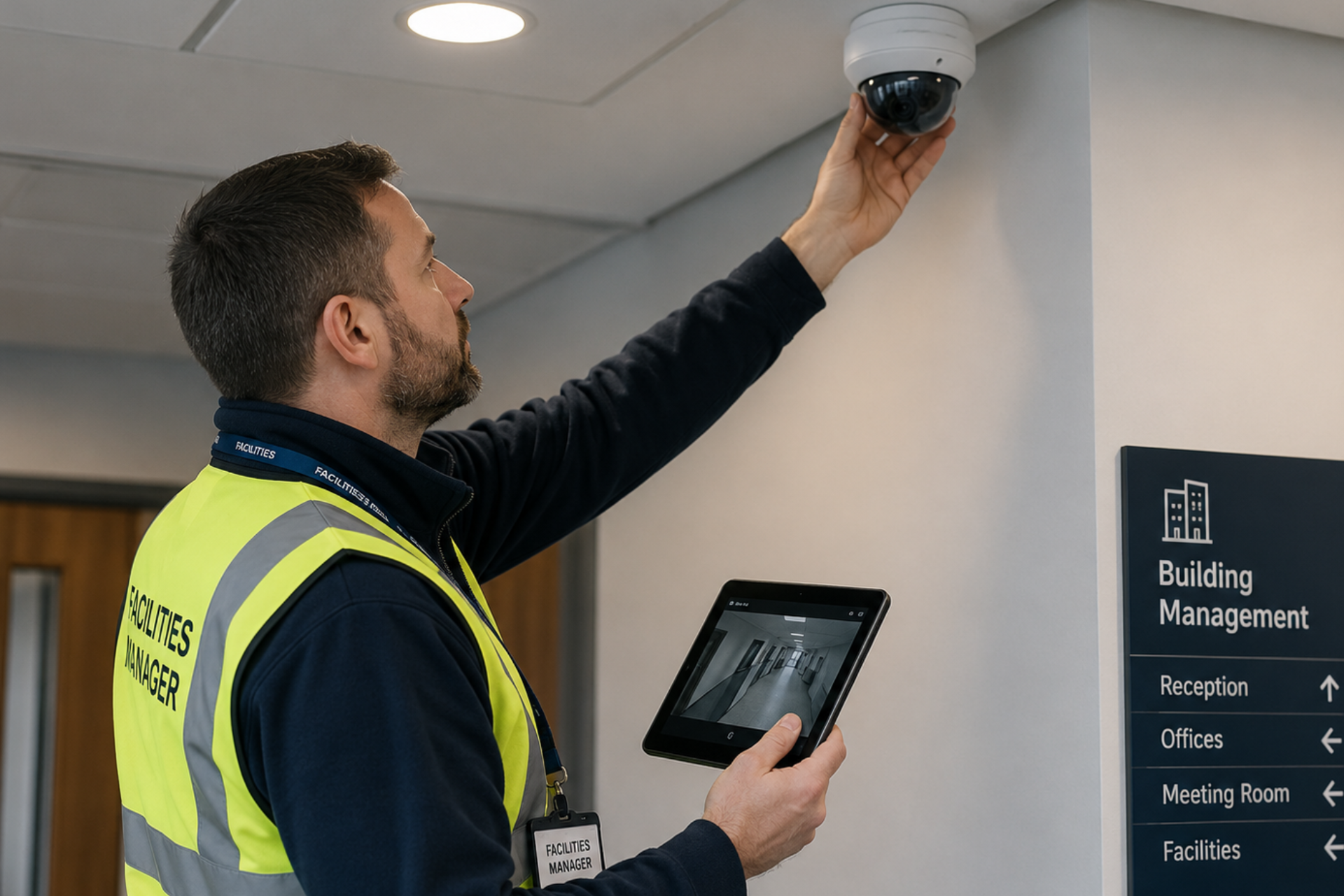
  • Inspect cameras for physical damage or vandalism.
  • Check camera housings for cracks, corrosion, or weather-related wear.
  • Verify cameras remain securely mounted.
  • Confirm camera positioning and viewing angles are correct.
  • Ensure camera lenses are free from dirt, dust, moisture, or obstructions.
  • Check signage and warning notices where applicable.

2. Camera Performance:

Verify that all cameras are functioning correctly and producing clear images.

Checklist:

  • Confirm cameras are powered and operational.
  • Test camera functionality, including pan, tilt, zoom (PTZ), and focus (if applicable)
  • Verify autofocus and manual focus settings.
  • Inspect image quality for clarity and sharpness.
  • Check colour accuracy and brightness levels.
  • Identify image distortion, flickering, ghosting, or signal interference.
  • Confirm cameras provide adequate coverage of critical areas.

3. Cable and Connection Inspection

Checklist:

  • Inspect cables for wear, cuts, or exposed wiring.
  • Check cable supports and containment systems.
  • Verify all power, video, and network connections are secure.
  • Test data transmission integrity.
  • Ensure connectors are free from corrosion and moisture damage.
  • Replace damaged or deteriorated cables immediately.

4. Recording and Storage

Recording devices are essential for retaining surveillance footage.

Checklist:

  • Inspect the status of the recording equipment, such as Digital Video Recorders (DVRs) or Network Video Recorders (NVRs)
  • Verify recording schedules are functioning correctly.
  • Check hard drive health and storage capacity.
  • Confirm footage is being recorded without interruption.
  • Test playback functionality.
  • Verify footage can be exported when required.
  • Review retention periods to ensure compliance with company policies.

5. Power Supply

Power issues can cause significant disruptions to surveillance operations.

Checklist:

  • Inspect power supplies and power distribution units.
  • Inspect power sources, including backup power systems like Uninterruptible Power Supplies (UPS).
  • Verify backup batteries are functioning correctly.
  • Check for signs of overheating or electrical damage.
  • Simulate power outages to confirm backup systems activate correctly.
  • Ensure surge protection devices are operational.

6. Lighting and Visibility

Poor lighting can significantly affect image quality.

Checklist:

  • Verify adequate lighting coverage in monitored areas.
  • Check infrared (IR) functionality for night-time monitoring.
  • Inspect cameras for glare or reflection issues.
  • Identify backlighting problems affecting image quality.
  • Ensure vegetation, signage, or new structures are not obstructing camera views.

7. Motion Detection and Alerts

Motion detection systems should be tested regularly to ensure reliable event monitoring.Checklist:

  • Test motion detection accuracy.
  • Verify detection zones are configured correctly.
  • Check alert sensitivity settings.
  • Confirm email, SMS, or mobile app notifications are functioning.
  • Test alarm integration where applicable.
  • Review and adjust false alarm settings if required.

8. Remote Access and Monitoring

Many modern CCTV systems allow remote access and management.Checklist:

  • Verify remote access functionality via desktop and mobile devices.
  • Test login credentials and user permissions.
  • Confirm live video streams are accessible remotely.
  • Check remote playback functionality.
  • Review system responsiveness and performance.

9. Firmware and Software Updates

Keeping software up to date helps improve performance and security.

Checklist:

  • Check for available firmware updates.
  • Update camera firmware where required.
  • Verify DVR/NVR software is current.
  • Update mobile applications and monitoring software.
  • Review vendor security advisories.
  • Test system functionality after updates are completed.

10. Cleaning and General Maintenance

Routine cleaning helps maintain image quality and equipment longevity.

Checklist:

  • Clean camera lenses using approved cleaning materials.
  • Remove dust and debris from housings.
  • Clean recording equipment ventilation areas.
  • Inspect cooling fans and ventilation systems.
  • Ensure outdoor camera enclosures remain weatherproof.
  • Remove any obstructions affecting camera visibility.

Recommended CCTV Maintenance Schedule

The frequency of maintenance tasks will depend on the environment and system complexity. As a general guideline:

Maintenance Activity Recommended Frequency
Lens Cleaning Monthly
Camera Inspection Monthly
Motion Detection Testing Monthly
Recording Playback Testing Monthly
Cable Inspection Quarterly
Power Supply Testing Quarterly
Firmware and Software Updates Quarterly
Cybersecurity Review Quarterly
Full System Audit Annually

High-risk environments such as industrial sites, warehouses, construction sites, and public facilities may require more frequent inspections.

Benefits of a Preventive Maintenance Programme

Implementing a structured CCTV maintenance programme can deliver several benefits:

  • Improved system reliability
  • Better image and recording quality
  • Reduced equipment downtime
  • Enhanced security and threat detection
  • Lower repair and replacement costs
  • Increased equipment lifespan
  • Improved compliance with internal and external security requirements

Conclusion

A well-maintained CCTV system is integral to maintaining a safe and secure environment. Implementing a preventive maintenance checklist helps in detecting potential issues before they escalate, ensuring continuous surveillance coverage. Regular inspections of cameras, cables, recording equipment, and software updates are vital for optimal performance. By following this comprehensive preventive maintenance checklist, you can extend the lifespan of your CCTV system and enhance its overall effectiveness in safeguarding your premises.

Download Our Preventative Maintenance Excel Template
Want a template to work from? Download our Excel Maintenance Template
Read about our privacy policy.
Oops! Something went wrong while submitting the form.
GET STARTED TODAY

Try our Maintenance Software for Free

Try our digital maintenance management software for free. Set up your facilities, import your asset information and invite your team members for free.
Icon for debit card
No Credit Card Required
Icon for cancel
Cancel Anytime